


您的位置:上海毫米网络优化公司 > 网站优化分享 >
相关推荐recommended
- 东莞网站制作策划让你的网站不再是落单的舞者
- 网页设计公司推荐(这些公司设计出的网站都是用户口碑最好的)
- 从小白到运营达人,这10个技能让你一步登天
- 怎样做网站卖东西(成功卖出产品的5个秘诀)
- 搭建网站的步骤(详解网站建设的流程和注意事项)
- 网站建设靠谱公司哪家好?
- APP界面设计分析(打造用户喜爱的产品,这些细节不能忽略)
- 打造专属学校网站,让校园信息一览无余
- 做网站怎么挣钱?这几种方式让你轻松实现网赚梦想
- 设计类网站推荐(5个必须知道的网站资源)
- 青岛做网站的公司哪家好?这篇综合评测告诉你答案
- 厦门网页制作公司哪家好?
- 如何利用个人网站打造属于自己的品牌?
- 长沙正规制作网站公司(专业打造高质量网站)
- 90设计网专业的设计服务平台
- 网页开发中常用的编程语言大全
- 字体在线网站设计推荐及使用方法
- 潍坊网站制作(专业网站设计与制作服务)
- 如何注册一家公司(从零开始,一步步教你注册成功)
- 西安做网页的公司(专业的网页设计与开发服务)
- 抖音上的小姐姐为什么这么火?分析她们的共同特点
- 全自动在线网页制作(快速创建个性化网站)
- 网站推广常用方法(提升网站曝光率的实用技巧)
- 网站建设多少钱,如何选择合适的建站公司?
- 网站公司如何提高用户粘性?
- 在线做网站大概多少钱(网站建设费用分析)
- 三只松鼠网络营销方案策划书(揭秘三只松鼠如何通过网络赚得盆满钵满)
- 网站策划书怎么写?一份完整的指南教你如何撰写有效的网站策划书
- 制作图片加文字的软件(轻松搞定图片文字叠加)
- 如何选择靠谱的商城建站服务(一份全面的选购指南)
vue 使用高德地图实现自定义选取起点和终点功能,支持搜索地址跳转定位(保姆级教程)
作者:mmseoamin日期:2023-11-30
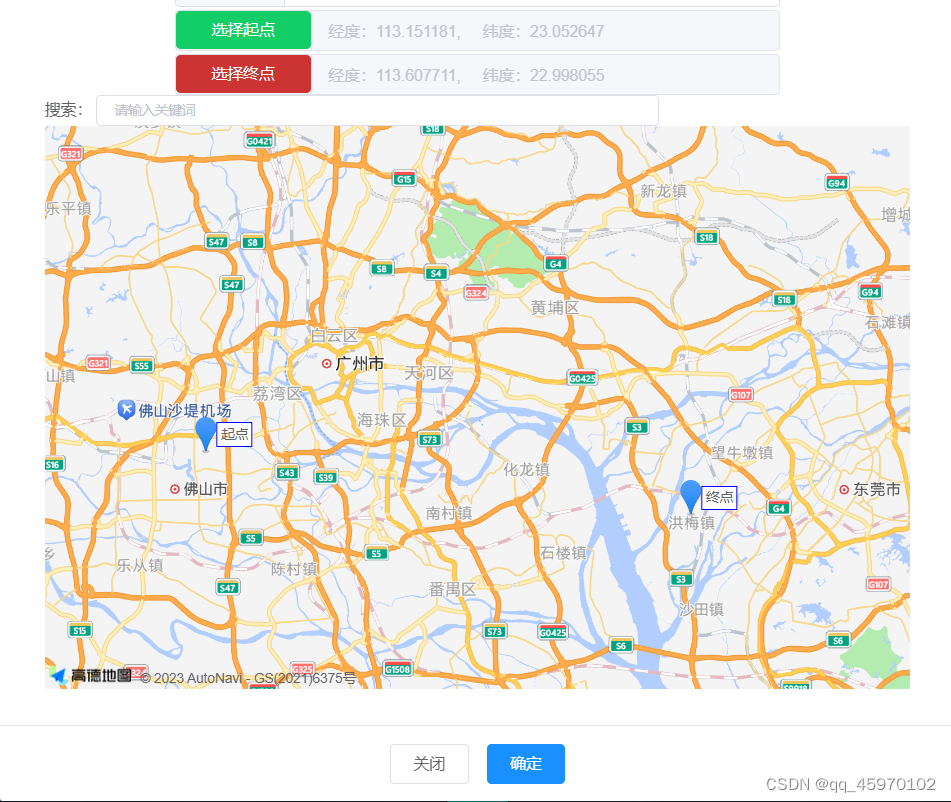
一、效果演示
1. 起点终点选择
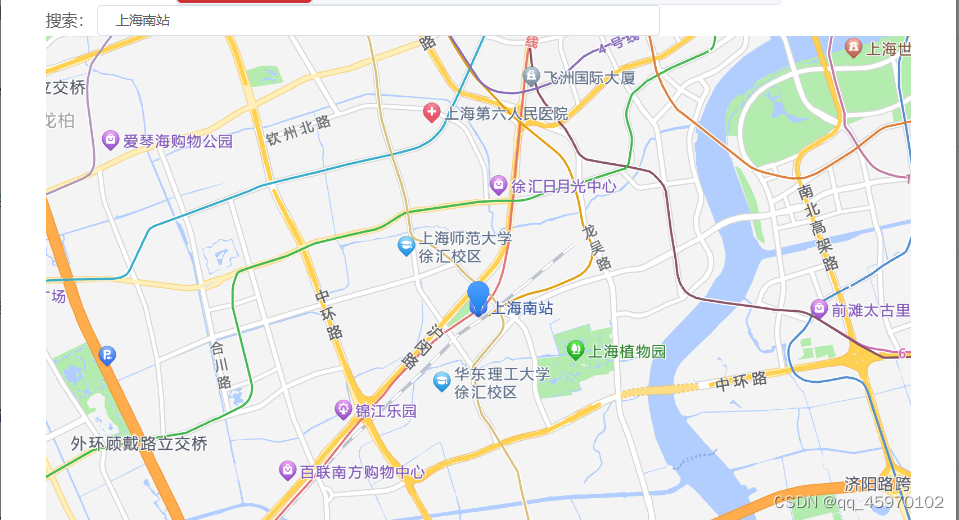
2. 地址搜索

二、准备工作
1. 获取高德地图key
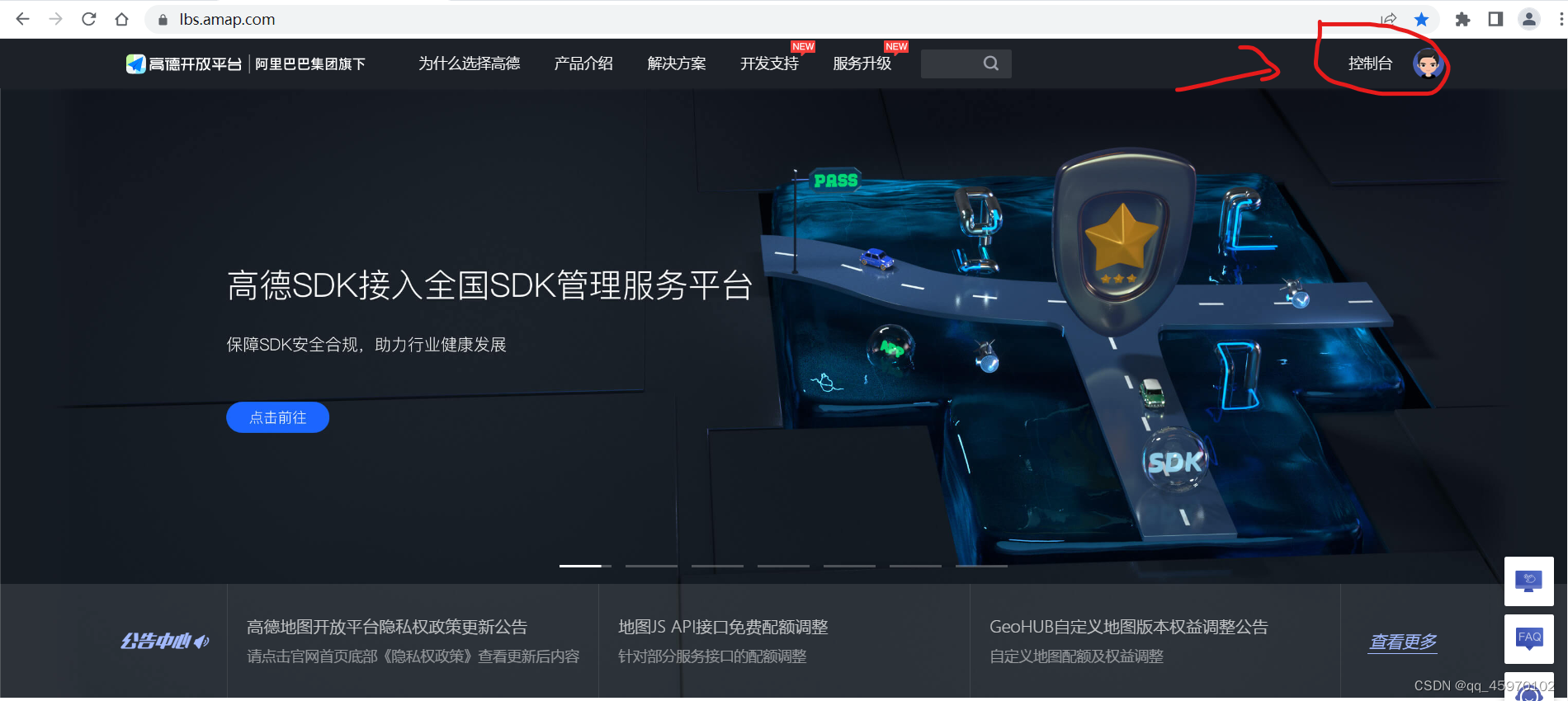
1.1 访问高德地图官网注册完成后登录,进入控制台
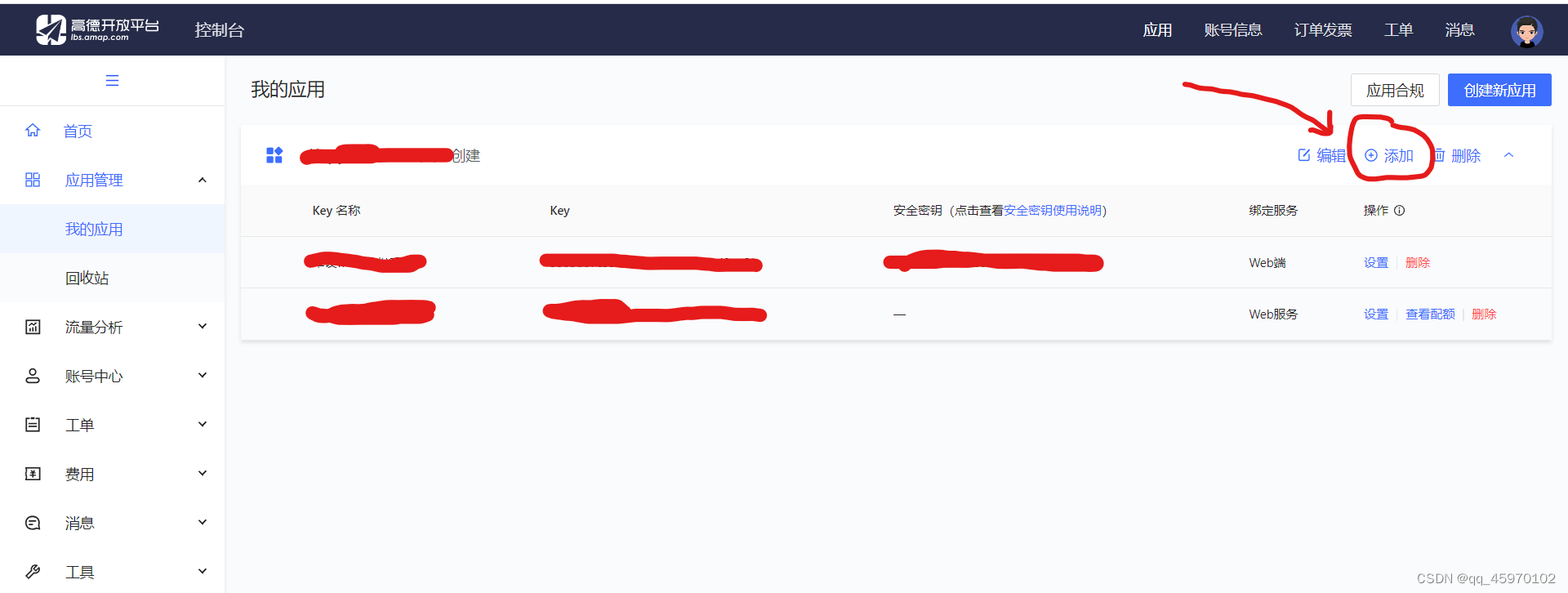
1.2 左侧 应用管理-我的应用,点击创建新应用

1.3 点击添加
1.4 选择Web端(JS API)
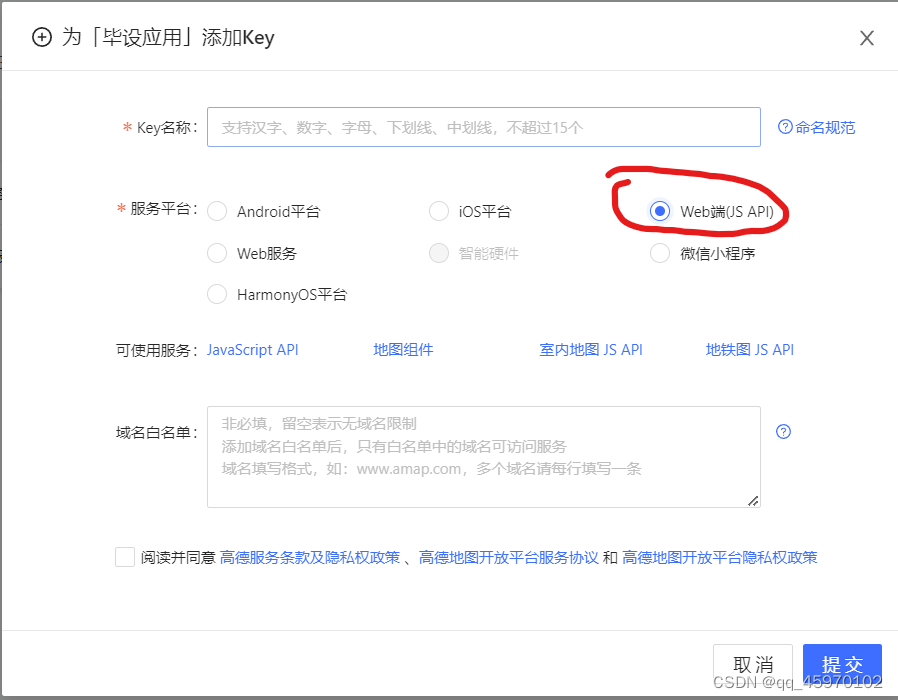
1.5 创建完成,得到key和安全密钥

2. 引入高德地图npm包
npm i @amap/amap-jsapi-loader --save
三、正式开始写代码
提示:以下代码全部在*.vue文件中编写,无其他文件
1. 设置key和安全密钥,初始化地图
把xxxxxxxxxxxxxxxxxxx换成自己申请的
2. 选取起点和终点
// 点击地图事件
      clickMapHandler(e){
        //选择起点
        if (this.isStart){
          if (this.startMarker !== null){
            this.map.remove(this.startMarker)
          }
          this.startCoordinate.lon = e.lnglat.getLng()
          this.startCoordinate.lat = e.lnglat.getLat()
          this.startCoordinateDescription = '经度:' + this.startCoordinate.lon + ',     纬度:' + this.startCoordinate.lat
          //标点
          this.startMarker = new AMap.Marker({
            position: new AMap.LngLat(e.lnglat.getLng(), e.lnglat.getLat()),   // 经纬度对象,也可以是经纬度构成的一维数组[116.39, 39.9]
            title: '起点',
            label: {
              content: '起点'
            }
          })
          // 将创建的点标记添加到已有的地图实例
          this.map.add(this.startMarker)
        }
        //选择终点
        else {
          if (this.endMarker !== null){
            this.map.remove(this.endMarker)
          }
          this.endCoordinate.lon = e.lnglat.getLng()
          this.endCoordinate.lat = e.lnglat.getLat()
          this.endCoordinateDescription = '经度:' + this.endCoordinate.lon + ',     纬度:' + this.endCoordinate.lat
          this.endMarker = new AMap.Marker({
            position: new AMap.LngLat(e.lnglat.getLng(), e.lnglat.getLat()),   // 经纬度对象,也可以是经纬度构成的一维数组[116.39, 39.9]
            title: '终点',
            label: {
              content: '终点'
            }
          })
          this.map.add(this.endMarker)
        }
      }
3.搜索地址功能
// 搜索地址
      remoteMethod(query) {
        if (query !== "") {
          this.loading = true;
          setTimeout(() => {
            this.loading = false;
            this.AutoComplete.search(query, (status, result) => {
              this.options = result.tips;
            });
          }, 200);
        } else {
          this.options = [];
        }
      },
      // 选中提示
      currentSelect(val) {
        // 清空时不执行后面代码
        if (!val) {
          return ;
        }
        // 自动适应显示想显示的范围区域
        this.map.setFitView();
        //清除marker
        if (this.searchMarker){
          this.map.remove(this.searchMarker)
        }
        //设置marker
        this.searchMarker = new AMap.Marker({
          map: this.map,
          position: [val.location.lng, val.location.lat],
        });
        this.keywords = val.name
        //定位
        this.map.setCenter([val.location.lng, val.location.lat])
      }
4. 页面代码
选择起点
选择终点
搜索:
{{ item.name }}
{{
item.district
}}
5. 全部代码
选择起点
选择终点
搜索:
{{ item.name }}
{{
item.district
}}
参考:vue对高德地图的简单使用:点击标记并获取经纬度和详细地址

- 关注我们
- 扫描二维码
- 获取更多信息
- 精彩一手掌握
Copyright © 2014-2019 seo,上海网站优化_网络制作_网站seo排名_网站建设推广_上海网络公司 版权所有
 沪ICP备19022315号
沪ICP备19022315号 


